 Stopia
How to Nail the 10-Second Challenge — Your Sense of Time and How to Train It
Ten seconds sounds short, but hitting it exactly without looking at a clock is harder than it seems. First-timers are often off by more than half a second, and nerves make it worse. Once you understand why, the fixes become obvious.
1. Why your sense of time drifts
There is no stopwatch in your head. You estimate how much time has passed as you go, and that estimate is easily thrown off.
Longer intervals mean bigger errors
When people estimate time, the error tends to grow in proportion to the length of the interval. It's one of the most consistent findings in time-perception research. Someone who is pretty accurate at 3 seconds will wobble a lot more at 10 or 30. Turn that around and you get the fix: break a long interval into many short ones. That's exactly what counting beats does, as described below.
Nerves speed you up
Standing in front of a crowd, or playing for a prize, raises your heart rate, and your internal count tends to speed up with it. That's why so many people at events fail by pressing too early, and why players who do well in practice fall apart on stage.
Distraction slows you down
If your attention wanders, the time that passes while you're distracted doesn't get counted properly, and you press late. It's also why players lose their rhythm when the crowd shouts or the host talks to them.
2. Counting beats — the single best technique
Counting "one, two, three…" uses short words, and you'll speed up without noticing. Use words that fill a whole second instead.
- "One Mississippi, two Mississippi…": The classic. Said at a normal pace, each one takes close to a second.
- "One-thousand-one, one-thousand-two…": Another common option that keeps the beat steady.
- Tap along: Tapping your foot, or a finger on your other hand, keeps the beat steadier than counting silently in your head.
Whichever you choose, the key is to know how your beat compares with a real second. Count along with the timer while it's visible and you'll quickly see whether you run fast or slow.
3. When to press — timing the last beat
If you wait until you've finished saying "ten" and then press, you'll usually be late. There is a small delay between finishing the count in your head and the button actually going down. It varies from person to person and from button to button, so the best way to find yours is to measure it.
- Play five rounds of the 10-second challenge with the clock visible.
- If you're mostly over 10 seconds, try pressing as you start saying "ten" instead.
- If you're mostly under, your beat itself is too fast. Stretch your counting words a little.
When you look at your results, ignore the one lucky hit and look at which way you usually miss. If you're always 0.3 seconds late, you just need to press earlier. If you're sometimes early and sometimes late, your beat is uneven, and that's what to practise first.
4. When the clock is visible
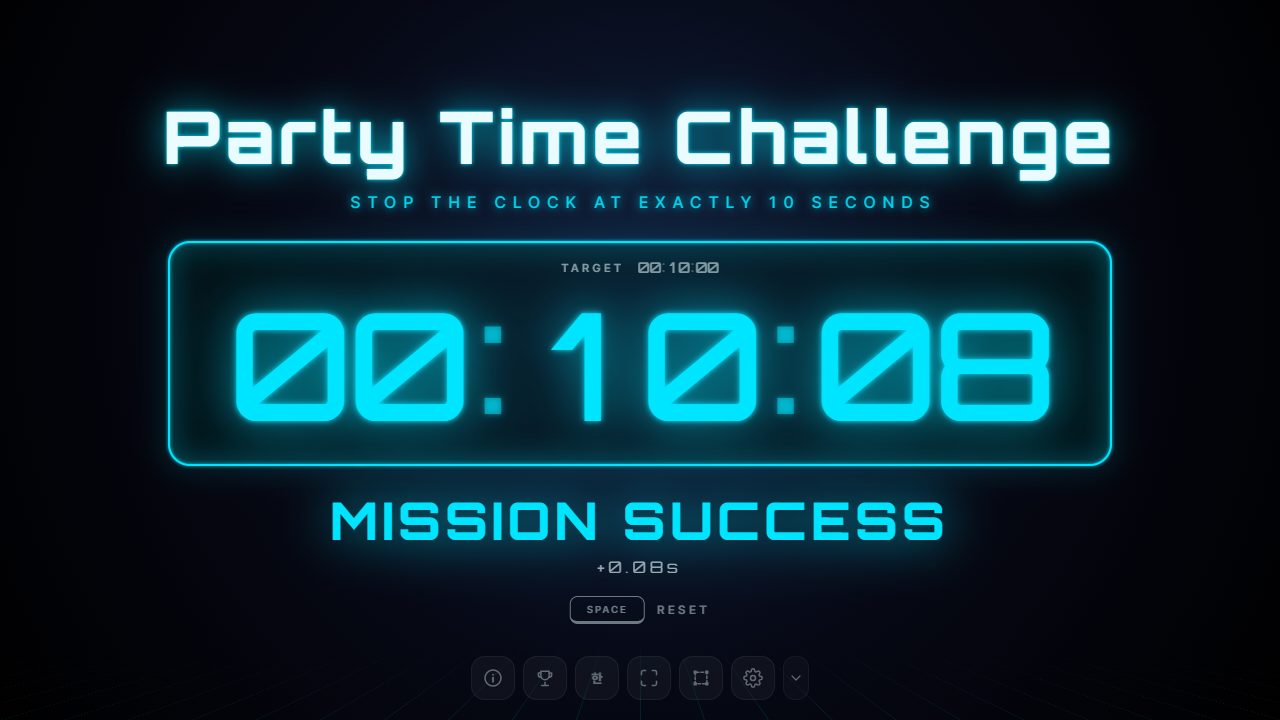
In normal mode, with the clock on screen, it's more about hand-eye coordination than instinct. If you wait to see 10.00 before pressing, you're already late, because reacting to something on screen takes time.
- Once you're into the nines, watch how fast the hundredths are spinning and get ready to press around 9.8–9.9.
- Players who keep counting the beat and only glance at the screen at the end tend to be more consistent than those who chase the digits.
5. Beating blind mode
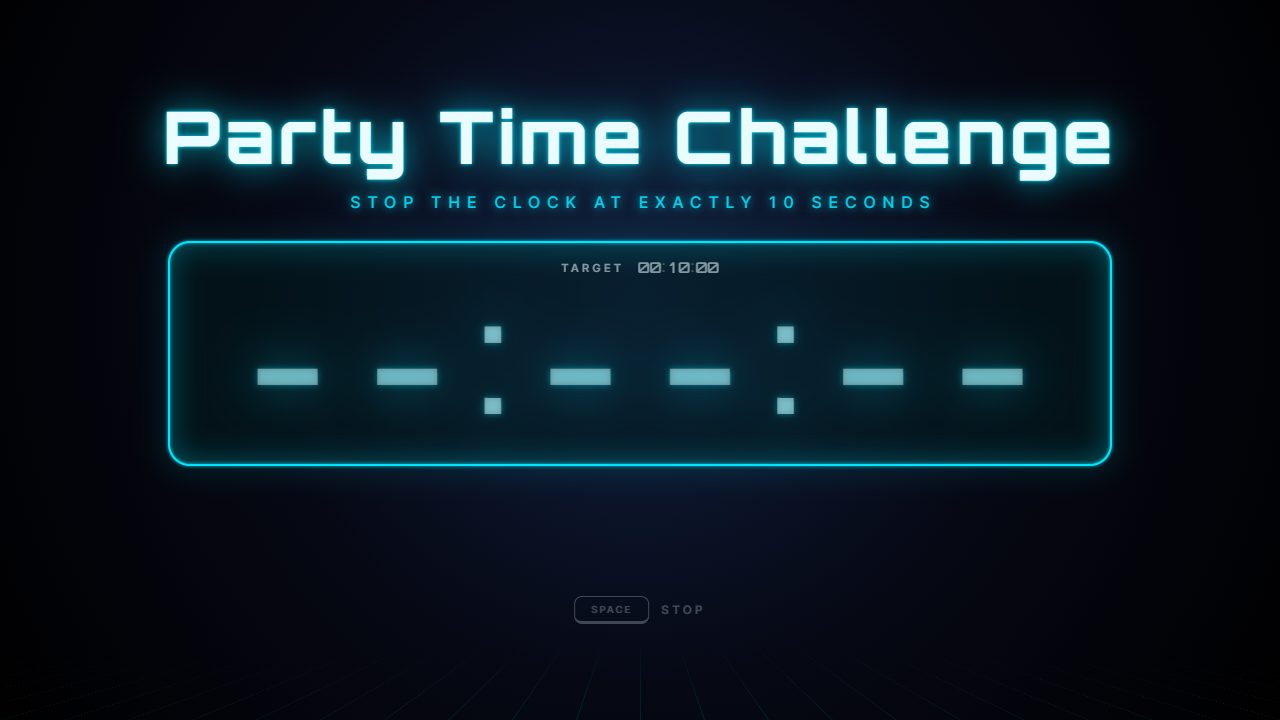
In blind mode the clock disappears after a few seconds. It's often used for event finals and is much harder than normal mode. The trick is to lock in your beat while you can still see the clock.
- As soon as the timer starts, count "one Mississippi, two Mississippi" in sync with the numbers. This calibrates your beat to real time.
- When the clock disappears, don't panic. Just keep the same beat going. It helps to note what second it was when the clock vanished.
- Try closing your eyes once the clock is hidden. On-screen effects can easily knock you off your count.
6. Practising on your own
A few setting changes turn Stopia into a practice tool.
- Step 1 — Get a feel: Play about ten rounds with the default settings and see whether you tend to be early or late.
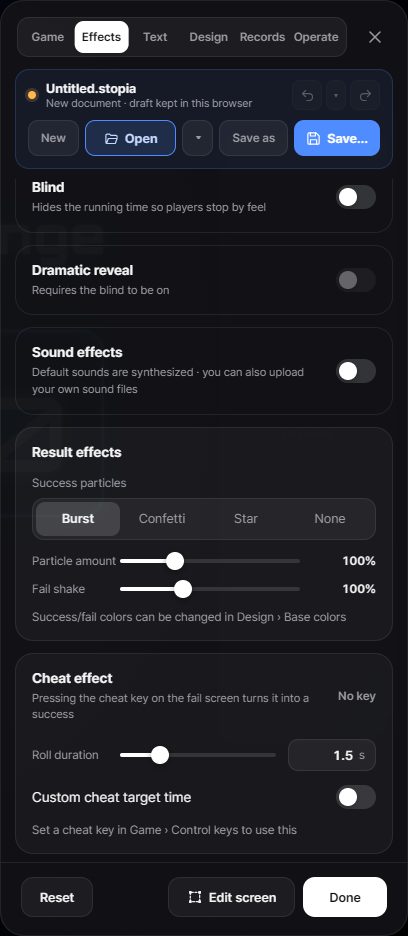
- Step 2 — Go blind: In Settings › Effects, turn on Blind and set Hide after to about 3 seconds.
- Step 3 — Mix up the target: Turn on Random target every round in Settings › Game and you'll get targets like 7 or 13 seconds. It stops you from only being good at 10.
- Step 4 — Track progress: Enter your name in Settings › Records and your results are saved. Compare today's results with next week's.
It also helps to tighten the judging as you improve. Start with a 5% tolerance, and once you succeed more than half the time, drop to 3%, then 1%. Finally, turn on strict judging and go for exactly 10.00.
7. Don't choke on stage
- Take one breath first: A long exhale before you start helps stop your count from speeding up.
- Ignore the crowd: Even if people shout "Now!", trust your own beat. Crowds almost always shout too early.
- Nervous? Go half a beat slower: Since nerves speed you up, counting a touch more slowly than usual on stage often ends up more accurate.
Wrapping up
The 10-second challenge looks like luck, but once you know which way you tend to miss and correct for it, you improve fast. Even a few practice rounds make a difference, so try it before the event. If you're the one hosting, read how to host a 10-second challenge too.